Lab
Personal Kanban Board
A personal planning application I designed and built using AI-assisted development. It connects everyday tasks to personal values and priorities, exploring how thoughtful interface design can reduce cognitive load and support intentional action.
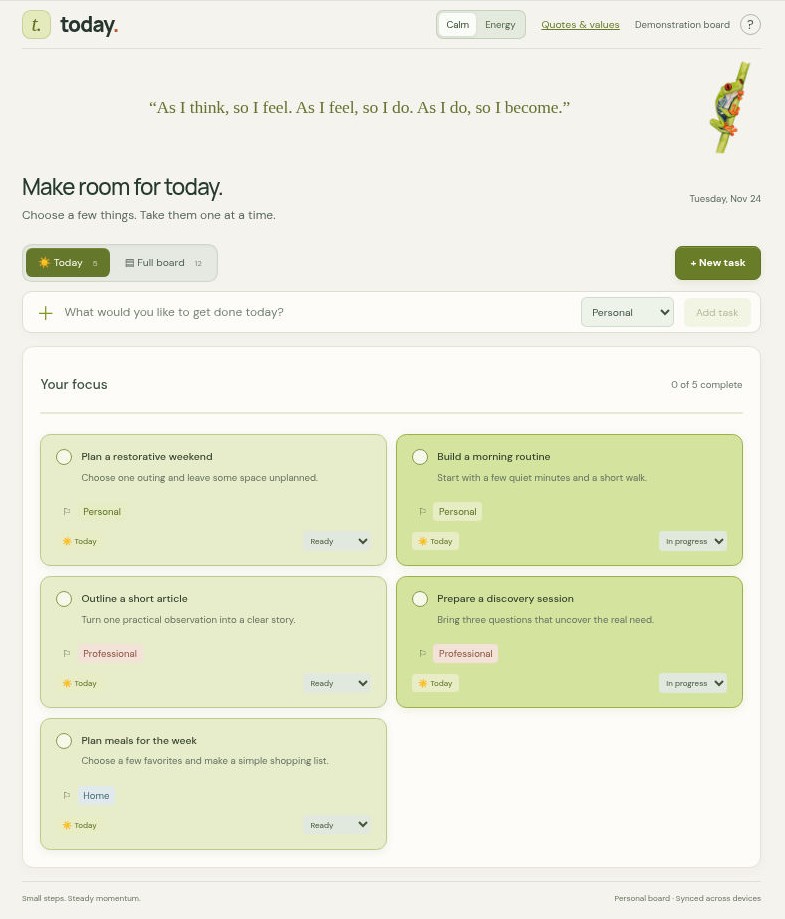
What it is
The board brings Personal, Professional and Home tasks into one view, with work moving through Backlog, Ready, In progress and Done. A separate Today view lets me choose a manageable set of tasks from any area without losing their place on the full board.
Each area has an editable values statement. Tasks can include notes, a definition of done and one small next step. A “Needs clarity” flag marks work that needs more thought or exploration before I know how to approach it. The board is available on my Mac and iPad, with tasks saved online.
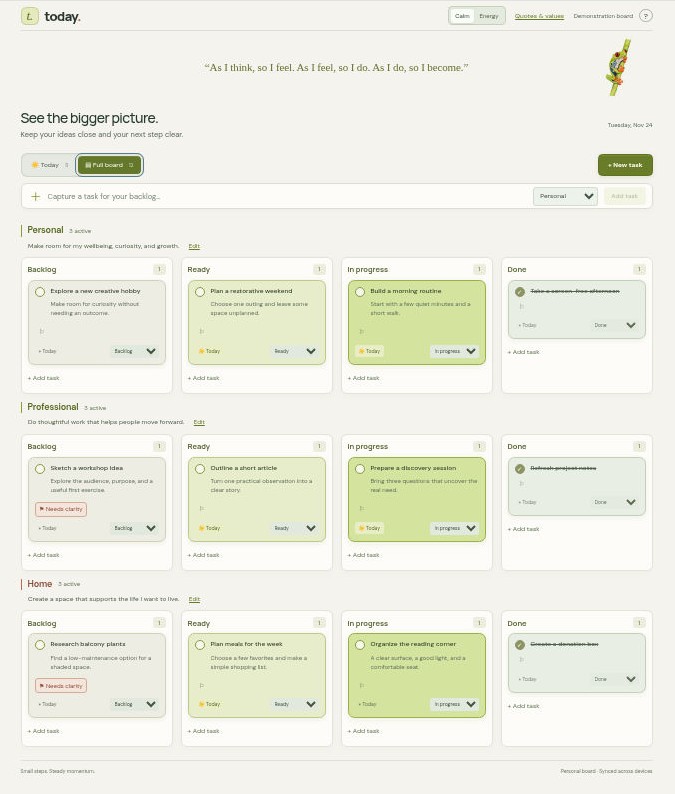
Both screenshots use fictitious demonstration tasks and the quote “As I think, so I feel. As I feel, so I do. As I do, so I become.”
Why I built it
I wanted a way to plan my day that recognized the relationship between my own needs, my work and my home. Personal comes first deliberately: taking care of myself helps me show up in the other areas of my life.
I also wanted to make unfamiliar work easier to approach. Naming what I don’t yet understand, describing what done looks like and finding one small next step give me a practical way to move forward. The values statements and rotating quotes keep those daily choices connected to longer-term intentions.
How it was built
I directed the design and development through an iterative collaboration with ChatGPT and Codex. I defined the workflow, priorities, interactions and visual direction, and AI drafted and revised the implementation. Using the board between iterations helped me decide what to improve next.
The application uses React and TypeScript, with a Cloudflare Worker and D1 database for persistent storage, hosted through ChatGPT Sites. It includes responsive layouts, Calm and Energy themes, editable values and a personal quote collection. The current Calm palette draws from a watercolor my sister painted, with a frog and reed adapted into a floating illustration.
Links
Personal project. Demonstration and additional details available upon request.